Current releases and what’s new →
GADNET: your network, your control
A Zero Trust router that helps protect your home and office. Keep personal devices, smart home equipment and guests in separate zones. You choose which devices to approve and how they can connect.
Routers rank first among IT device categories by risk in Forescout’s 2026 report — Forescout · 2026 report (PDF).
GADNET helps you manage security across your home or office network. Separate laptops, smart home devices and guests into zones, and choose which connections to allow. New devices wait for your approval in a separate zone to protect the rest of your network. This is Zero Trust in practice: access follows the rules you set, with no automatic trust just because a device joined your Wi-Fi.
For specialists
Who benefits?
Modern families
- Isolate unsecured smart devices
- Chromecast, AirPlay and HomeKit across zones when you allow it
- Household accounts, roles and Family Safe
- Content filters and requests to a guardian in GADNET Browser
Privacy advocates
- Block trackers with lists you choose
- Encrypted DNS upstream (DoT) on by default
- Logs stay on the router, no cloud
Small business
- Card terminals in their own zone, reachable by nothing else
- Ransomware on one machine finds no route to the others
- A speed limit per zone, for download and upload alike, so the guest or IoT zone never takes more than its share of your connection
High-risk professions
- Protect client and source confidentiality
- Tamper-evident activity log, chained with SHA-3
Why choose GADNET?
Zero Trust by default
You choose which devices join your network and what they can access. New devices wait safely in a separate zone until you approve them.
Two-factor admin sign-in
Sign in with a passkey on a compatible phone or computer, or use a supported FIDO2 security key. Phones also offer a device certificate plus PIN. A recovery phrase helps you regain access.
GDPR by design
Your data stays on the device. One-click export and erasure for any user.
Streamlined setup
Flash an SD card with balenaEtcher, plug in, and the setup page opens by itself. About 20 minutes from a blank SD card; a phone or a laptop is all you need to sign in.
Open source by design
The code will be published under Apache 2.0 once the first stable version is ready; until then, beta testers can review it on request. No hidden telemetry, no obfuscation, no backdoors.
Supply chain transparency
Every release ships with a full ingredient list (SBOM) — like the label on a food product. Ready for the EU Cyber Resilience Act.
Protect kids
Give your child their own account and choose rules for their devices. DNS filters and Family Safe help limit unwanted sites; GADNET Browser adds keyword and YouTube channel filters. Your child can ask a guardian to unblock a page.
Protect business
Separate the work laptop, the point-of-sale terminal, and the IoT camera into different zones. A breach in one cannot jump to the others.
Internal Certificate Authority
GADNET runs its own certificate authority. It secures the admin panel and the router’s encrypted DNS, issues the admin’s sign-in certificate, and can give any device on your network its own server or client certificate — so two of your devices can authenticate each other with mutual TLS when you turn it on for a service. Revoked certificates stop working for devices that check the CRL or OCSP.
Quantum-safe encryption
The admin panel, the setup page and encrypted DNS for your devices use quantum-resistant encryption alongside the classical kind, on by default. What is recorded today cannot be decrypted by a quantum computer tomorrow.
Active Fraud Shield
Create a rule for your bank — a ready template covers the main Polish banks, and rules will later be importable from gadnet.pl. While a device is logged in to the bank, the rule can cut remote-desktop connections from it (AnyDesk, TeamViewer, VNC, RDP), and if a voice call is running at the same time your phone gets a push warning: is someone telling you what to do? Nothing is blocked until a rule exists, and the warning needs your phone subscribed to push notifications. A safety net, not a guarantee — it complements your bank's own checks.
Active threat monitoring
Watches for port scans, known-bad domains and unusual traffic patterns. Detections are reported to you; by default only critical ones are blocked automatically.
A setup page that opens itself
The setup page pops up on its own — iPhone, Android, Windows, macOS — the same way hotel Wi-Fi greets you.
Multi-Tier Backup
Your configuration is saved to the SD card several times a day, with previous versions kept. Add an SSH server or S3 storage for copies off the device. Every backup carries a post-quantum (SLH-DSA) signature, and the restore tool refuses anything that does not verify. The router does not encrypt off-device copies itself — use an encrypted destination.
Join the Wi-Fi with a QR code
Scan a QR code to join the Wi-Fi — no typing long passwords. The new device then waits in the Isolation zone until you approve it.
Live Network Map
See every device by zone, then pick one to see which devices it can reach, which can reach it, and the rule behind each path. Where its internet traffic goes is on the Traffic Destinations page.
Threat dashboard
A single 0–100 score plus a feed of what triggered it. No security degree required to know whether something's wrong.
Signed updates
Updates are signed and checked before they install, and a failed update is rolled back at the next boot. Security updates install automatically at night by default, and the panel lists known vulnerabilities (CVEs) that affect the installed version.
Localized interface
Native English and Polish UI throughout — admin panel, setup page, error messages. More languages welcome — get in touch.
GADNET Browser: your household, your rules
Available for Windows and Android. A personal profile for each household member, with protection built into everyday browsing.
A place for everyone
Assign devices to household members and choose their roles. Network rules follow the assigned person; GADNET Browser applies their browsing rules in their own profile.
More control, fewer distractions
Choose ad and tracker blocking, keyword filters and YouTube channel rules. Family Safe adds safer search settings. If a page is blocked, a child can ask a guardian to allow it.
Your personal vault
The browser stores history, bookmarks and saved passwords in an encrypted vault for that person. On Windows, household members can use separate profiles on the same computer.
Reach home from anywhere
Open a shared LAN service, such as your NAS web panel, from a paired browser. The administrator chooses who gets access; you confirm it with a passkey, without opening inbound internet ports.
Administrator messages and router alerts also reach the app. Install GADNET Browser from your router’s household page, normally http://onboarding.gadnet.lan while connected to its network.
Inside the admin panel — what's where
A look inside: network settings, protection and household access in one panel. AI controls are being rolled out.
OVERVIEW
What is happening now
- Dashboard
- Network Map
- Settings
NETWORK
Devices and connections
- Devices
- Traffic Destinations
- Zones
- Wi-Fi
- Smart-home / mDNS
- Cameras
- Printing
PROTECTION
Rules for your household
- Connection Rules
- Domain Filtering
- AI controls — rollout in progress
MONITORING
Signals worth your attention
- Anomaly Detection
- SNI Observation
- Activity & Audit
PEOPLE & ACCESS
Personal accounts and permissions
- Users
- Roles
- Sessions
- Session Policies
- Passkeys
- Messages & Alerts
- Household onboarding
SYSTEM SECURITY
Identity, keys and privacy
- API Network Access
- Data Subject Rights
- Certificates
- PQC Status
- Recovery & Escrow
Ready for quantum computers, today
When sufficiently large quantum computers arrive, they will be able to break much of the encryption in use today, and traffic recorded now could be decrypted years later. GADNET already uses quantum-resistant algorithms alongside the classical ones on every encrypted connection the router itself serves: the admin panel, the setup portal and encrypted DNS for your devices. With a browser that supports it, as current Chrome, Edge and Firefox do, a recording of those sessions made today stays unreadable tomorrow. GADNET does not re-encrypt your apps' own traffic to banks or other websites — that protection comes from those services and your browser.
For specialists
X25519MLKEM768 (IANA codepoint 0x11ec) + SecP256r1MLKEM768 (0x11eb) per FIPS 203 ML-KEM-768. On by default for every TLS endpoint served with GADNET's internal certificates — admin.gadnet.lan, the captive portal and the DoH/DoT listeners; group fallback to X25519 / secp384r1 / secp256r1 per RFC 8446 §4.2.8 if the client lacks PQC. Backed by OpenSSL 3.5+ and Python 3.14 stdlib ssl.SSLObject.group() telemetry (per-handshake hybrid_pqc audit field). Parallel ML-DSA-65 (FIPS 204) Root + Intermediate CA + server leaf on admin-pq.gadnet, opt-in via PQ_LISTENER_ENABLED until major browsers ship ML-DSA validators. ML-KEM-768 + hybrid HKDF building blocks are in place for the planned end-to-end messaging (Signal X3DH).Encrypted DNS — lookups no one can read on the way
Every time you open a website, your device first looks up its address — a bit like flipping through a phone book. On most home networks that lookup is sent in the open: your internet provider, the coffee-shop Wi-Fi, anyone sitting on the same network can read the full list of places your device looked up. GADNET seals every lookup that leaves your line inside an encrypted envelope by default (DoT to the upstream resolver), and speaks two more standards — DoH and DoQ — for the devices on your own network once you switch them on per zone (DoQ needs a custom resolver build that the standard image does not include). Nothing extra to pay for.
DoH — DNS-over-HTTPS
What it is: Wraps the lookup inside an ordinary HTTPS connection — the same kind your bank uses. To the rest of the network it looks like one more web request among many.
Example: Your laptop sends each DNS lookup to GADNET inside an HTTPS connection. Any other device on the same Wi-Fi — a guest device, a misbehaving IoT gadget, a compromised smart speaker — just sees an encrypted connection to the router. The lookup names are invisible to them.
More details
Why it helps: DoH is the hardest of the three to identify and block at the network level. Networks that filter DoT (port 853) cannot easily do the same to DoH without breaking ordinary HTTPS browsing too.
Without it: Every name your device looks up is sent in plaintext on port 53. Anyone on the same network — a neighbour, a hotel admin, a captive portal — can keep a detailed log of everywhere your device looked, with timestamps.
DoT — DNS-over-TLS
What it is: A dedicated encrypted tunnel reserved just for DNS, on its own port. GADNET uses this tunnel to talk to trusted public resolvers — Cloudflare, Google, Quad9 — and checks their certificate against the expected hostname before sending a single query.
Example: When GADNET needs an address it does not already have cached, it asks Cloudflare through this tunnel. Your provider sees only that the router contacted Cloudflare — not which names the queries were about.
More details
Why it helps: If the upstream certificate does not match the expected resolver, GADNET refuses to query. There is no quiet downgrade to plaintext DNS — a forged reply cannot slip in.
Without it: Your provider can read and rewrite every DNS answer the router asks for. That is exactly how many ISPs inject ads into error pages or redirect typos to their own search engine.
DoQ — DNS-over-QUIC
What it is: The same idea as DoT — encrypted DNS — but carried over QUIC, a newer transport built on UDP. Many lookups can travel in parallel without queueing behind each other, and QUIC is designed to keep a session alive across short network changes instead of starting over. In GADNET it needs a DoQ-capable resolver build that the standard image does not include.
Example: When a single page kicks off dozens of DNS lookups at once for trackers, fonts, and embedded content, DoQ lets each lookup travel in its own QUIC stream. A slow lookup does not hold up the others — they finish independently.
More details
Why it helps: QUIC is designed so that when the client's network path changes — roaming between Wi-Fi access points, a brief disconnect, waking from sleep — the connection can survive the move. With DoT or DoH the handshake has to start over after the IP address changes.
Without it: A single slow lookup can stall the others queued behind it on the same TCP connection. And every time the connection drops, DoT and DoH have to redo the full TCP and TLS handshake before any lookup can go through.
For specialists
/dns-query endpoint with the application/dns-message media type and ALPN h2, applying RFC 8467 message padding to defeat traffic-analysis side channels. With that custom build it serves DoQ per RFC 9250 on UDP port 853 with ALPN doq, one stream per query, and the standard two-octet length prefix. Outbound to public resolvers the router uses DoT per RFC 7858 and RFC 8310 in the Strict profile with Authentication Domain Name binding, plus EDNS0 keepalive per RFC 7828. Posture is fail-closed: if the encrypted upstream cannot be reached, queries are refused — there is no silent downgrade to plaintext DNS. Encrypted-resolver discovery follows RFC 9462 (SVCB lookup at _dns.resolver.arpa.) and RFC 9463 (DHCPv4 option 162, sent only to the zones you enabled; the IPv6 RA option ships once full IPv6 enablement lands). Server certificates come from the internal PKI so LAN clients reuse the trust anchor they already hold. TLS floor is TLS 1.2 minimum across every encrypted-DNS surface, with TLS 1.3 preferred wherever the resolver supports it. Each listener is bound per zone — no wildcard 0.0.0.0 or :: exposure.The hidden danger
Router security threats explained
The hidden danger
Your phone updates every week; your router may not. When Fraunhofer FKIE tested 127 home routers in 2020, 46 had not received a single security update in the previous year. Such a router trusts every device that connects, and becomes the weakest link in your digital life.
The average home now has 22 connected devices (Bitdefender / NETGEAR 2025). If one of them is outdated, it opens a back door to your entire network.
The castle-and-moat failure
Traditional routers assume "inside is safe". But once an attacker takes over your smart bulb — like the Philips Hue Zigbee bridge takeover Check Point disclosed in 2020 (CVE-2020-6007) — the firewall no longer stands in the way. This is called lateral movement.
Attackers rarely go for your computer directly. They get in through a TV or a bulb, then jump to your laptop. In February 2024 CISA documented how the Volt Typhoon group used end-of-life SOHO routers to hide their operations (advisory AA24-038A).
The IoT botnet reality
Cheap smart cameras and plugs ship with default passwords and unpatched vulnerabilities. Once such a device is online, botnets such as Mirai and Aisuru can find and enroll it, often within minutes. Routers now account for more than half of the devices with the most critical vulnerabilities (Forescout Vedere Labs, Riskiest Connected Devices 2025).
Once infected, they become spies in your living room, recording audio and launching attacks on others without you knowing.
The home office risk
Your work laptop sits on the same Wi-Fi as your child's tablet and smart TV. A malware infection from a "free game" your kid downloaded can jump to your work device, bypassing the company VPN entirely.
Sensitive documents and client data stored locally are at risk. Without network isolation, a compromised smart bulb or game console could read your files, encrypt them (ransomware), or use your laptop as a bridge to attack your company.
What is Zero Trust?
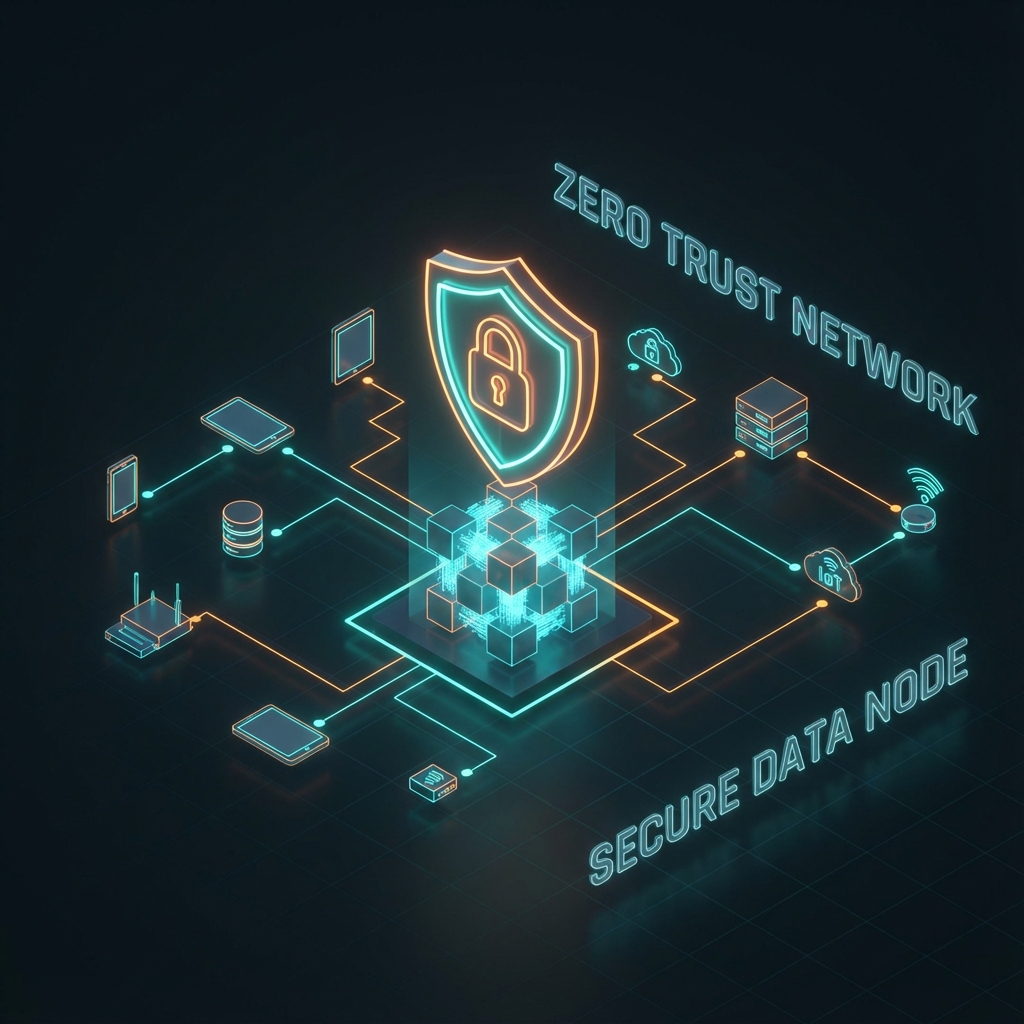
No device is trusted just because it is on your network
The simple explanation
Imagine your network as a hotel. A traditional router gives every guest a master key that opens every room. Once you're in the building, you can go anywhere.
GADNET works differently. It gives each guest a keycard that only opens their specific room. Even if someone steals a keycard, they can only access one room — not the entire hotel.
Default deny
Block by default. Allow-list only access prevents unauthorized connections.
Continuous verification
Never trust, always verify. Every admin request is authenticated on its own, and every device stays confined to its zone.
Least privilege
Minimal access. Each device reaches only what its zone allows.
Micro-segmentation
Contain breaches. The network is divided into isolated, firewalled zones.
Closed to the internet
Remote access to selected LAN services is available through GADNET Browser. The router connects out to a relay, without opening inbound internet ports. The admin panel is not shared over this channel.
Monitoring & alerts
Real-time traffic analysis and intrusion detection. Detections are reported to you; critical ones are blocked.
Why this matters — the numbers
Published industry research, each figure with its source

Network zones
Five built-in zones, plus as many custom ones as you need
Isolation
New devices
No accessTrusted
Main devices
Internet + IoT and GuestIoT
Smart devices
LimitedGuest
Visitors
Internet onlyAdmin
Dashboard access
Full controlCustom
Build as needed
FlexibleHow we approach security
Planned source code release
The plan is to publish the code under Apache 2.0 with the first stable release. Public access to the code is a planned step; the beta is not yet a publicly available open-source release.
Internal security reviews
The project includes internal reviews of code and configuration, covering areas such as cryptography, the supply chain and OWASP Top 10 risks. Reports record findings and fixes. These reviews are not an independent security certification.
Local data and clear service boundaries
Accounts, settings and the network device list are stored locally on the router, without a cloud account. DNS, updates and enabled optional services exchange the technical data they need; the FAQ explains these connections. Selected sensitive database records can be encrypted with AES-256-GCM; this is not full-disk encryption.
Established technologies
GADNET uses TLS 1.3, hybrid post-quantum key exchange where supported, WebAuthn/FIDO2 sign-in and CycloneDX 1.6 software component lists (SBOM). Data export and deletion tools help administrators handle privacy requests; they do not establish GDPR compliance for an organization.
Join the beta
We're building GADNET with a small group of early users. Drop us a line — we usually reply within a day or two and send you the latest build. If you want, we will also email you when the public release lands and at major milestones: you opt in by confirming a separate email, and one reply is enough to unsubscribe.
The Beta (closed, ~50 testers) is Phase B, the current development stage; your feedback gets us to Phase C, the public release. The ~50 places are for testers who get direct support and send structured feedback. Apply by email if you have compatible hardware ready — see the specification. Discord is open to everyone: follow development and ask questions there while we open more places.
FAQ
Am I the right user — what skills do I actually need?
What if something breaks and I am not a sysadmin?
Will it work with my existing internet provider?
What about my existing devices?
Will Chromecast, AirPlay, HomeKit, and Spotify Connect still work if I put them in a separate IoT zone?
Is my data stored in the cloud?
Can I use it for my business?
Is it really free?
How is this different from a VPN?
Support GADNET development
GADNET is free to run on your own compatible device, and its code will be published under Apache 2.0 once the first stable version is ready. It is a one-person project run by Michał Maciak — every contribution goes directly to hosting, test hardware and development time.
We are not selling anything yet — we are looking for testers. Financial support speeds up Phase B (the current closed-beta stage) and brings the public release and the published source code closer.
Other ways to help
No budget? No problem — these matter just as much:
References & standards
Sources for the standards and figures cited on this page.
Cryptography & TLS
- IANA — TLS Supported GroupsX25519MLKEM768 (0x11ec) + SecP256r1MLKEM768 (0x11eb) codepoints
- NIST FIPS 203 — ML-KEMModule-Lattice-Based KEM (August 2024)
- NIST FIPS 204 — ML-DSAModule-Lattice-Based DSA (August 2024)
- RFC 8446 — TLS 1.3§4.2.8 named-group negotiation
- RFC 9053 — COSE AlgorithmsWebAuthn algorithm IDs
Identity & authentication
- W3C WebAuthn Level 2W3C Recommendation (April 2021) — current target
- W3C WebAuthn Level 3W3C Recommendation (August 2026)
- FIDO Alliance — specificationsFIDO2 specification family
Network protocols
- RFC 8908 — Captive Portal APIvendor-neutral captive portal
- RFC 8291 — Web Push Encryptionencrypted push payloads (shipped)
- RFC 8292 — VAPIDapplication server identification for Web Push
- RFC 9420 — MLSMessaging Layer Security — group messaging (Phase C)
- Rosenpass — WireGuard + PQChybrid ML-KEM-768 handshake (Phase B+)
- RFC 9242 — IKEv2 Intermediate Exchangehybrid key exchange for IPsec (Phase B+)
- RFC 9370 — IKEv2 Multiple Key ExchangesPQC composition for IPsec (Phase B+)
- RFC 9298 — CONNECT-UDP / MASQUEQUIC-based proxy mode (Phase B+)
Privacy & compliance
- GDPR — Regulation (EU) 2016/679full consolidated text
- Cyber Resilience Act — Reg. (EU) 2024/2847vulnerability reporting obligations since 11 Sep 2026; main obligations, incl. SBOM, from 11 Dec 2027
- CycloneDX 1.6SBOM format GADNET ships
Industry research (cited figures)
- Forescout · The Riskiest Connected Devices in 2026 (PDF)routers rank first by IT risk; Forescout Device Cloud data from the first week of February 2026, organizational networks; PDF hosted by partner Carahsoft
- Bitdefender / NETGEAR · 202529 attacks/day per home network, 22 devices in the average home, over half of vulnerabilities in streaming devices, TVs and cameras
- Krebs on Security · Oct 2025Aisuru botnet: 700,000+ infected IoT systems
- Forescout Vedere Labs · Riskiest Connected Devices 2025routers are over half of the devices with the most critical vulnerabilities
- Fraunhofer FKIE · Home Router Security Report 202046 of 127 routers without a security update for a year
- Check Point Research · 2020Philips Hue bridge takeover (CVE-2020-6007)
- CISA · AA24-038AVolt Typhoon and end-of-life SOHO routers
- Securelist · Q1 2025 IoT Threat StatisticsKaspersky IoT threat trends